Leave Approvals
Open Team Oversight > Assigned Leave Requests. The screen title is Leave Requests and contains requests assigned to you as an approver or observer.
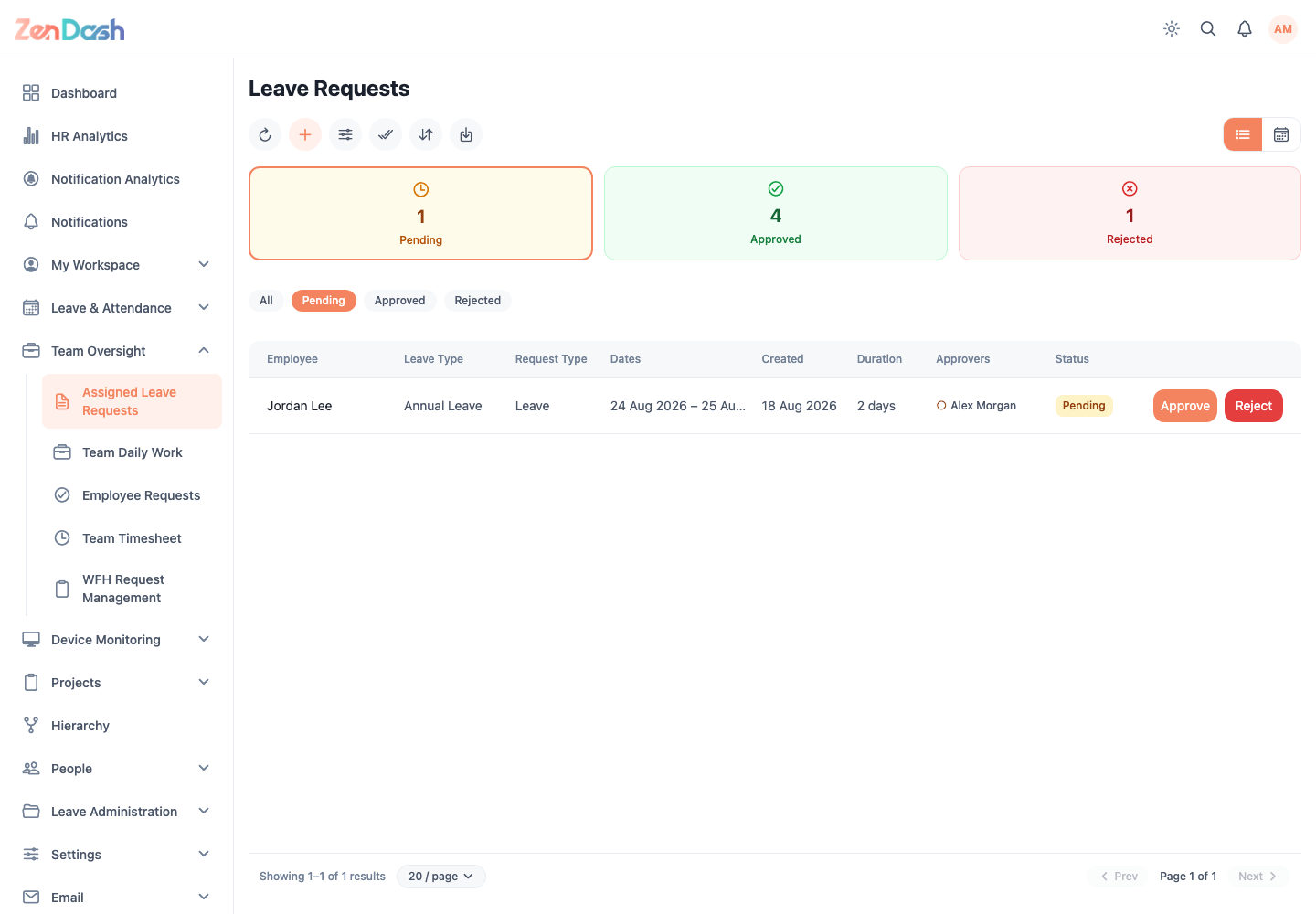
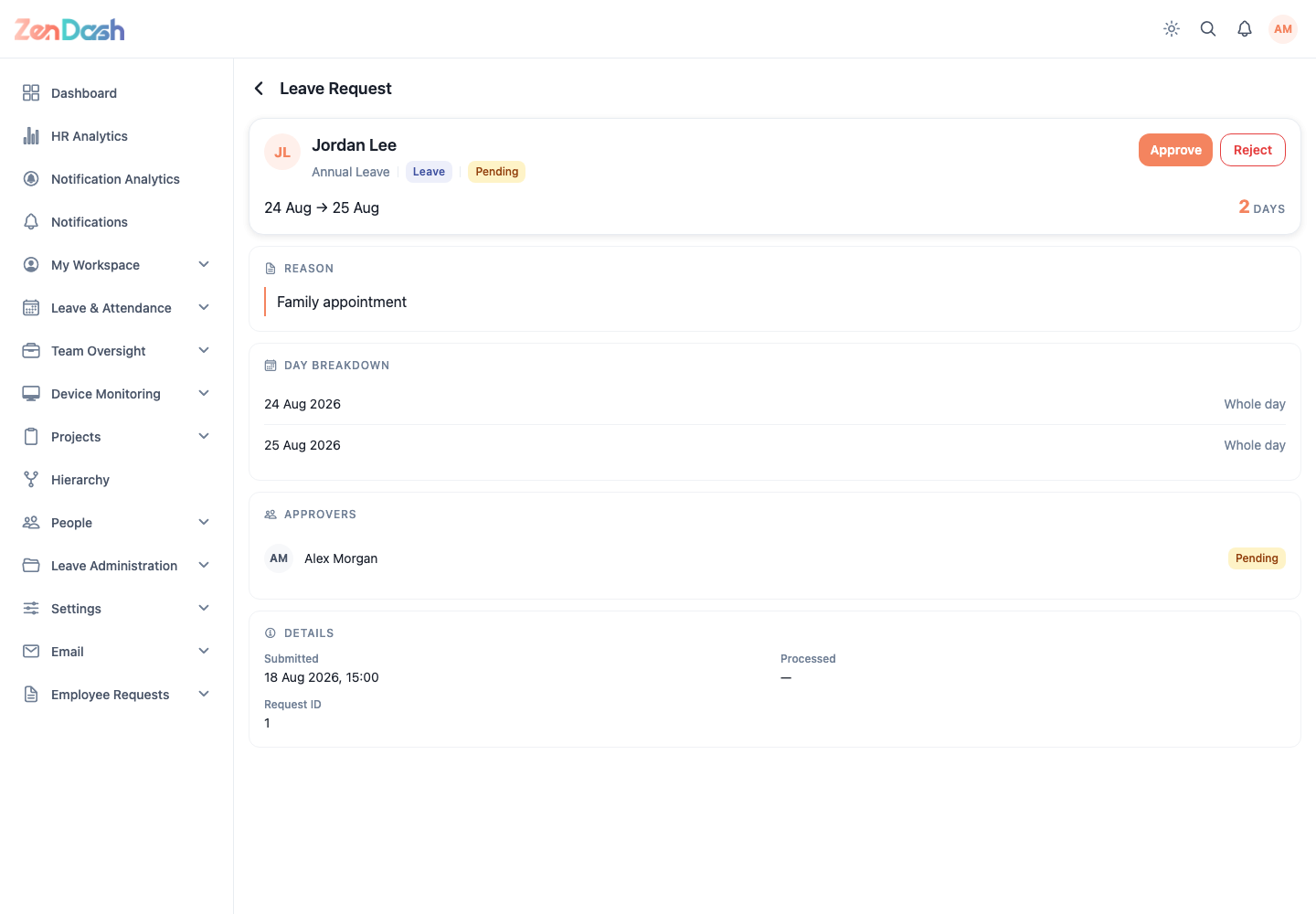
Use the status, employee, leave type, and date controls to narrow the list. Switch between list and calendar views when you need a schedule view. Select a request to review its dates, day breakdown, comment, attachments, quota context, and approver timeline.
Approve or reject
- Open a pending request.
- Check the requested dates and any supporting documents.
- Select Approve to accept it, or Reject to decline it.
- When rejecting, add the reason that the employee should see.
- Confirm the action.
Some lists expose Approve and Reject directly on the request card. Observers can inspect requests but cannot process them. The list refreshes after a successful decision.
note
A request appears here only when the signed-in employee is part of its approval flow or has the relevant team permission.